Week 1 — Day 6: AWS WAF & Shield
A full walkthrough of AWS WAF for application-layer filtering and AWS Shield for DDoS protection — how they work, how to configure them, and how they fit into your defense stack.
The Perimeter Problem
GuardDuty detects threats that already reached your infrastructure. Inspector finds vulnerabilities in your workloads. But what about blocking malicious traffic before it hits your application?
That’s what WAF and Shield do — they sit in front of your applications and filter or absorb attacks at the network and application layer.
AWS WAF
What WAF Does
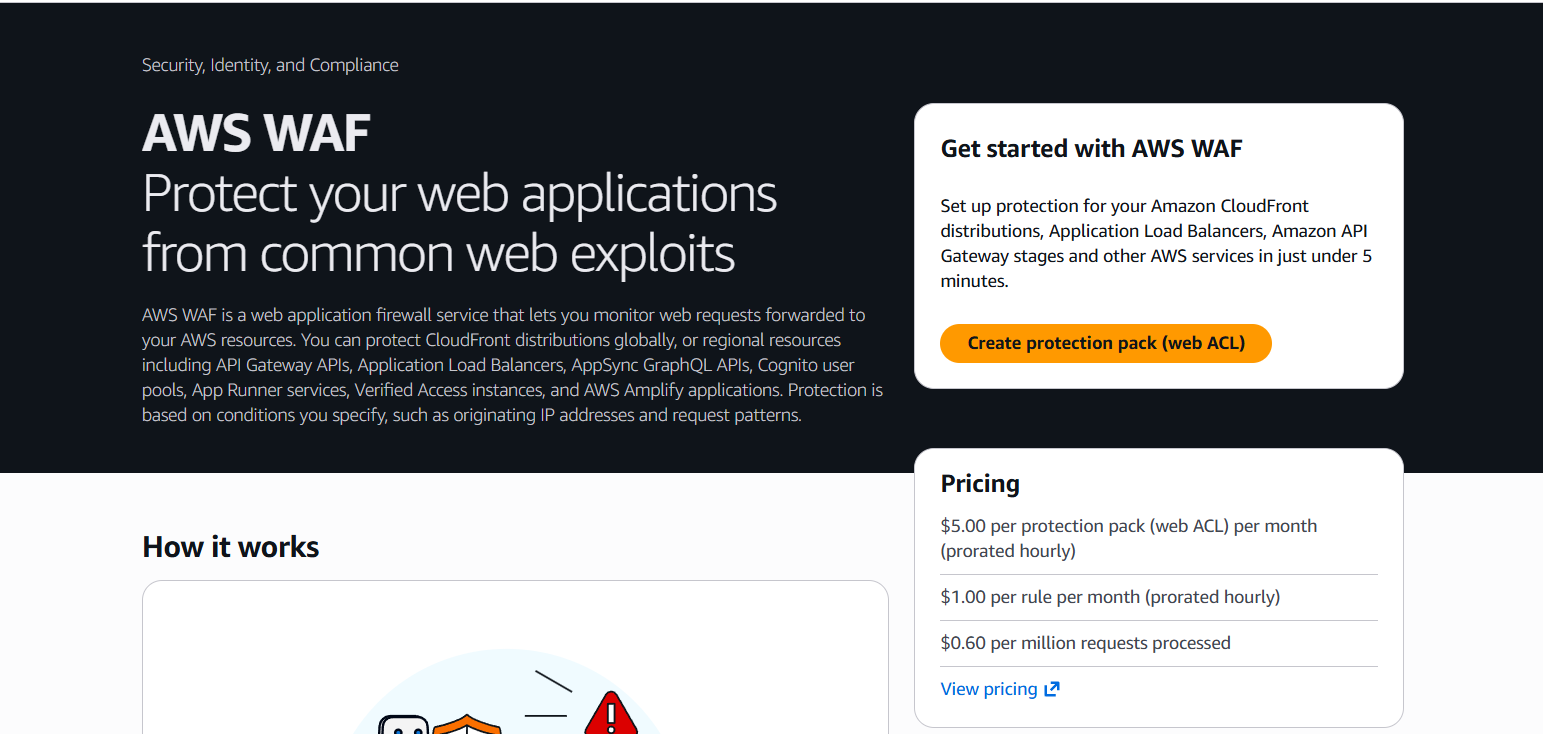
AWS WAF (Web Application Firewall) inspects HTTP/HTTPS requests and blocks or allows them based on rules you define. It operates at Layer 7 (application layer).
WAF can block:
- SQL injection attempts
- Cross-site scripting (XSS)
- Known malicious IPs
- Requests from specific countries
- Bots and scrapers
- Requests exceeding a rate limit
- Requests matching specific patterns (user-agent, URI, headers, body)
WAF attaches to:
- Application Load Balancers (ALB)
- Amazon CloudFront distributions
- API Gateway
- AWS AppSync
- Amazon Cognito user pools
— WAF & Shield console → Web ACLs list showing existing ACLs with their associated resources (ALB or CloudFront) and request counts
Core Concepts
Web ACL
A Web ACL (Access Control List) is the container for your WAF rules. You create one Web ACL and associate it with a resource (ALB, CloudFront, etc.).
Rules
Rules evaluate requests. Each rule has:
- Conditions — what to match (IP, header, URI, body, method, query string)
- Action — Allow, Block, Count, or CAPTCHA
Rules are evaluated in priority order (lowest number = evaluated first).
Rule Groups
A collection of rules packaged together. AWS provides managed rule groups — pre-built rules maintained by AWS or partners.
Managed Rule Groups
AWS Managed Rules are free (for the rules themselves — you pay for WAF capacity units consumed).
Key managed rule groups:
| Rule Group | What it blocks |
|---|---|
AWSManagedRulesCommonRuleSet | OWASP Top 10 — SQLi, XSS, LFI, RFI, etc. |
AWSManagedRulesKnownBadInputsRuleSet | Log4j, Spring4Shell, shellshock exploits |
AWSManagedRulesAmazonIpReputationList | AWS threat intelligence — known malicious IPs |
AWSManagedRulesSQLiRuleSet | SQL injection specifically |
AWSManagedRulesLinuxRuleSet | Linux-specific exploits (path traversal, etc.) |
AWSManagedRulesBotControlRuleSet | Bot detection and mitigation (extra cost) |
— WAF → Web ACL → Rules tab showing multiple managed rule groups added with their capacity units and actions (Block/Count)
Creating a Web ACL
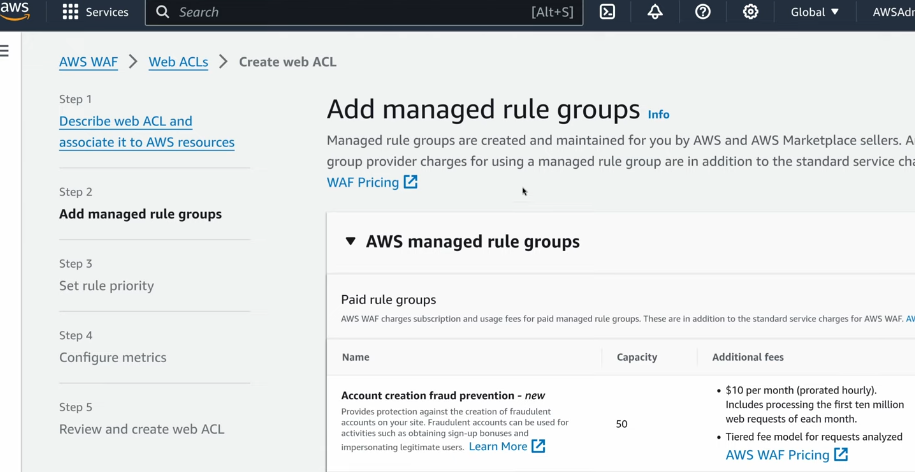
- WAF & Shield → Web ACLs → Create web ACL
- Resource type: Regional (for ALB) or CloudFront (global)
- Name:
prod-waf-acl - Add rules → Add managed rule groups:
AWSManagedRulesCommonRuleSetAWSManagedRulesAmazonIpReputationListAWSManagedRulesKnownBadInputsRuleSet
- Set default action: Allow (everything not matching a rule is allowed)
- Create → Associate with your ALB or CloudFront distribution
— WAF → Create Web ACL wizard showing the Add rules step with three managed rule groups added and their actions set to Block
Custom Rules
Beyond managed rules, write custom rules for your specific application.
Rate-based rule — limit requests per IP
Blocks IPs sending more than 2000 requests in any 5-minute window:
- Web ACL → Add rules → Add my own rules → Rule builder
- Rule type: Rate-based rule
- Rate limit: 2000
- Scope: IP address
- Action: Block
— WAF → custom rate-based rule configuration showing the rate limit set to 2000, scope IP, and action Block
IP set rule — block specific IPs or CIDRs
- WAF → IP sets → Create IP set
- Paste the IPs/CIDRs you want to block
- Web ACL → Add rule → IP set match → reference your IP set → Action: Block
Geo-match rule — block or allow by country
- Web ACL → Add rules → Rule builder
- Statement: Geo match → select countries to block
- Action: Block
— WAF → rule builder showing a geo-match statement with several countries selected and Block action
Count Mode (Safe Testing)
Before switching a rule to Block, test it in Count mode — the rule still evaluates requests and logs matches, but doesn’t block anything.
This lets you verify the rule doesn’t catch legitimate traffic before enforcing it.
— WAF → Web ACL → Rules tab showing a managed rule group with its action overridden to “Count” for testing
Workflow:
- Add rule with Count action
- Monitor WAF logs for a few days
- Review what’s being counted — are there false positives?
- Switch to Block once you’re confident
WAF Logging
Enable logging to see every request WAF evaluates:
- Web ACL → Logging and metrics → Enable logging
- Destination: CloudWatch Logs, S3, or Kinesis Firehose
- Filter: log only blocked requests, or all requests
— WAF → Logging configuration showing Kinesis Firehose destination selected and the log filter set to “All requests”
Sample log entry fields:
httpRequest.clientIp— requester IPhttpRequest.uri— request pathterminatingRuleId— which rule blocked itaction— ALLOW or BLOCKhttpRequest.headers— full headers including User-Agent
Attaching WAF to an ALB
- EC2 → Load Balancers → select your ALB
- Integrations → AWS WAF → Associate → select your Web ACL
Or from WAF:
- WAF → Web ACLs → select your ACL → Associated AWS resources → Add
- Select the ALB
— WAF → Web ACL → Associated AWS resources tab showing an ALB ARN listed as an associated resource
AWS Shield
Shield Standard
Shield Standard is free and automatically enabled for all AWS customers. It protects against common Layer 3 and Layer 4 DDoS attacks:
- SYN/UDP floods
- Reflection attacks
- Other infrastructure-layer attacks
For most applications behind CloudFront or ALB, Standard is sufficient for volumetric attacks.
Shield Advanced
Shield Advanced is a paid service (~$3,000/month per organization) that adds:
- Protection for EC2, ELB, CloudFront, Global Accelerator, Route 53
- Real-time attack visibility and diagnostics
- 24/7 access to the AWS DDoS Response Team (DRT) during an attack
- Cost protection — AWS credits you for scaling costs incurred due to a DDoS attack
- Advanced detection with application-layer (Layer 7) DDoS protection
- Automatic application layer DDoS mitigation (auto-creates WAF rules)
— Shield Advanced → Overview page showing active protections for CloudFront, ALB, and Route 53 with their current threat status
Enabling Shield Advanced
- WAF & Shield → AWS Shield → Subscribe to Shield Advanced
- Add resources to protect: CloudFront distributions, ALBs, Elastic IPs, Route 53 hosted zones
- Enable proactive engagement (DRT contacts you during attacks)
— Shield Advanced → Protected resources tab showing the list of resources with protection enabled and their resource types
DDoS Attack Detection
Shield Advanced shows attack events with details:
— Shield Advanced → Events tab showing a past attack event with the attack vector, bits/sec, packets/sec, and duration
During an active attack, Shield Advanced can automatically create WAF rate-based rules to mitigate the attack without manual intervention.
WAF vs Shield
| WAF | Shield Standard | Shield Advanced | |
|---|---|---|---|
| Layer | 7 (Application) | 3/4 (Network) | 3/4/7 |
| Cost | Pay per rule/request | Free | ~$3k/month |
| Protects against | SQLi, XSS, bots, bad IPs | Volumetric DDoS | Advanced DDoS + L7 |
| Manual config | Yes | No | Partial |
| DRT access | No | No | Yes |
Lab — Attach a WAF to an ALB
Objective: Create a Web ACL with OWASP managed rules and attach it to an ALB.
- WAF & Shield → Web ACLs → Create web ACL
- Region: match your ALB’s region
- Name:
lab-waf-acl - Add managed rule groups:
AWSManagedRulesCommonRuleSet→ action: Count (test mode first)AWSManagedRulesAmazonIpReputationList→ action: Block
- Default action: Allow → Next → Create
— WAF → Web ACL just created showing the two rule groups — CommonRuleSet in Count mode and IpReputationList in Block mode
- Associated AWS resources → Add → select your ALB
- Send a test request with a SQL injection payload:
1
curl "https://your-alb-dns.com/search?q=1'+OR+'1'='1"
- WAF → Web ACL → Sampled requests — you should see this request was evaluated and matched the SQLi rule
— WAF → Sampled requests tab showing the SQLi test request with the matching rule (SQLi_BODY or similar) and action Count
- Once satisfied there are no false positives, change
AWSManagedRulesCommonRuleSetfrom Count to Block
Key Takeaways
- WAF operates at Layer 7 — it understands HTTP and can block specific request patterns
- Start all new rules in Count mode — verify no false positives before blocking
- AWS Managed Rule Groups give you OWASP coverage immediately with no custom rule writing
- Rate-based rules are essential for protecting login endpoints and APIs from brute force
- Shield Standard is free and sufficient for most — Advanced is for high-value targets that need DRT support
- WAF + GuardDuty + Shield together cover Layer 7 application attacks, network DDoS, and cloud-level threats
References
You can find me online at:
