Week 1 — Day 3: CloudTrail & AWS Config
A full walkthrough of AWS CloudTrail for API auditing and AWS Config for resource configuration tracking and drift detection.
The Core Problem
In a cloud environment, everything is an API call. Someone creates an EC2 instance — that’s an API call. Someone changes a security group — API call. Someone deletes an S3 bucket — API call.
CloudTrail records every one of those API calls.
AWS Config tracks the state of your resources over time and alerts when they drift from your desired configuration.
Together they answer: “What happened?” (CloudTrail) and “What does my infrastructure look like right now vs what it should look like?” (Config).
AWS CloudTrail
What CloudTrail Logs
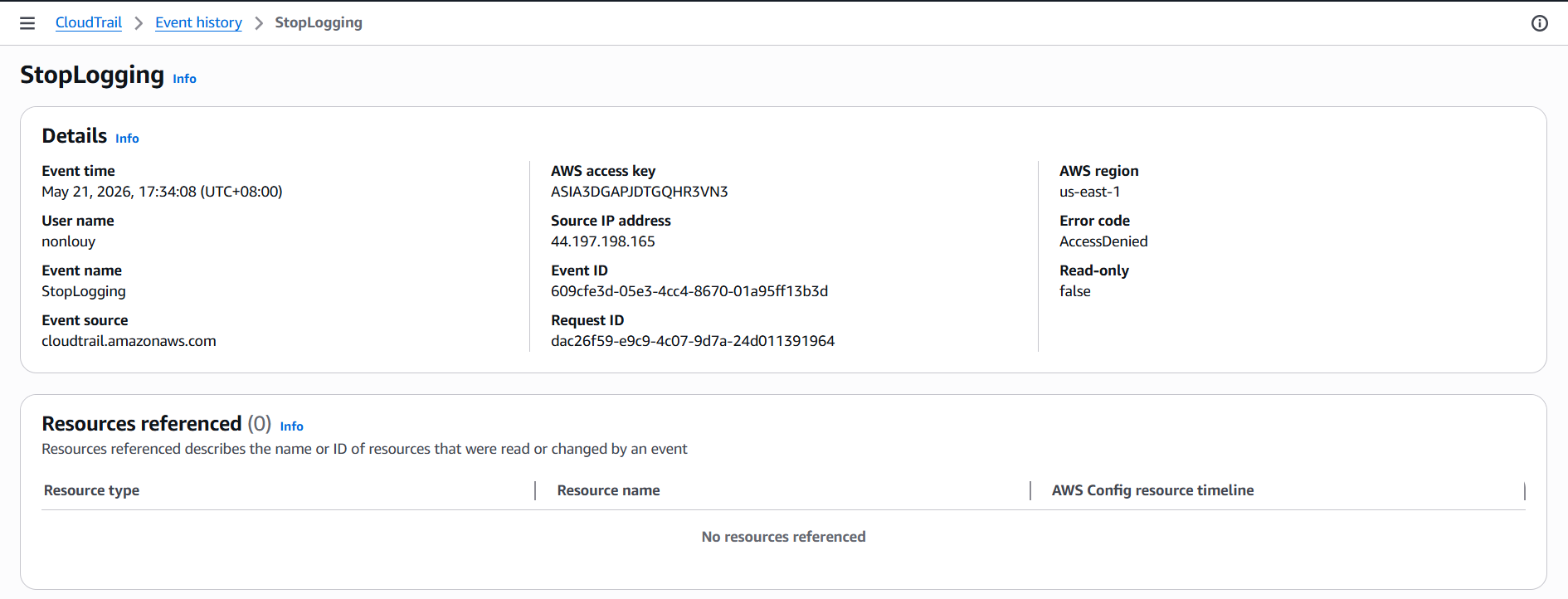
Every CloudTrail event record contains:
| Field | Description |
|---|---|
eventTime | When the API call happened |
userIdentity | Who made the call (user, role, service) |
eventName | Which API was called (e.g. DeleteBucket) |
sourceIPAddress | Where the call came from |
requestParameters | What parameters were passed |
responseElements | What AWS returned |
errorCode | If the call failed, why |
Event Types
| Type | What it covers |
|---|---|
| Management events | Control plane — creating/deleting resources, IAM changes, console logins |
| Data events | Data plane — S3 object reads/writes, Lambda invocations, DynamoDB operations |
| Insights events | Unusual API activity detected by CloudTrail Insights (extra cost) |
Management events are enabled by default. Data events must be explicitly enabled and cost extra.
Setting Up a Trail ( note you will be charged so take notice )
A Trail saves CloudTrail events to an S3 bucket for long-term retention. Without a trail, event history is only kept for 90 days in the console.
Create a trail:
- CloudTrail → Trails → Create trail
- Name:
org-audit-trail - Storage location: create a new S3 bucket (CloudTrail will set the bucket policy automatically)
- Enable Log file validation → this creates a digest file to verify logs haven’t been tampered with
- Enable SSE-KMS encryption for the log bucket
- Management events: Read + Write
- Create trail
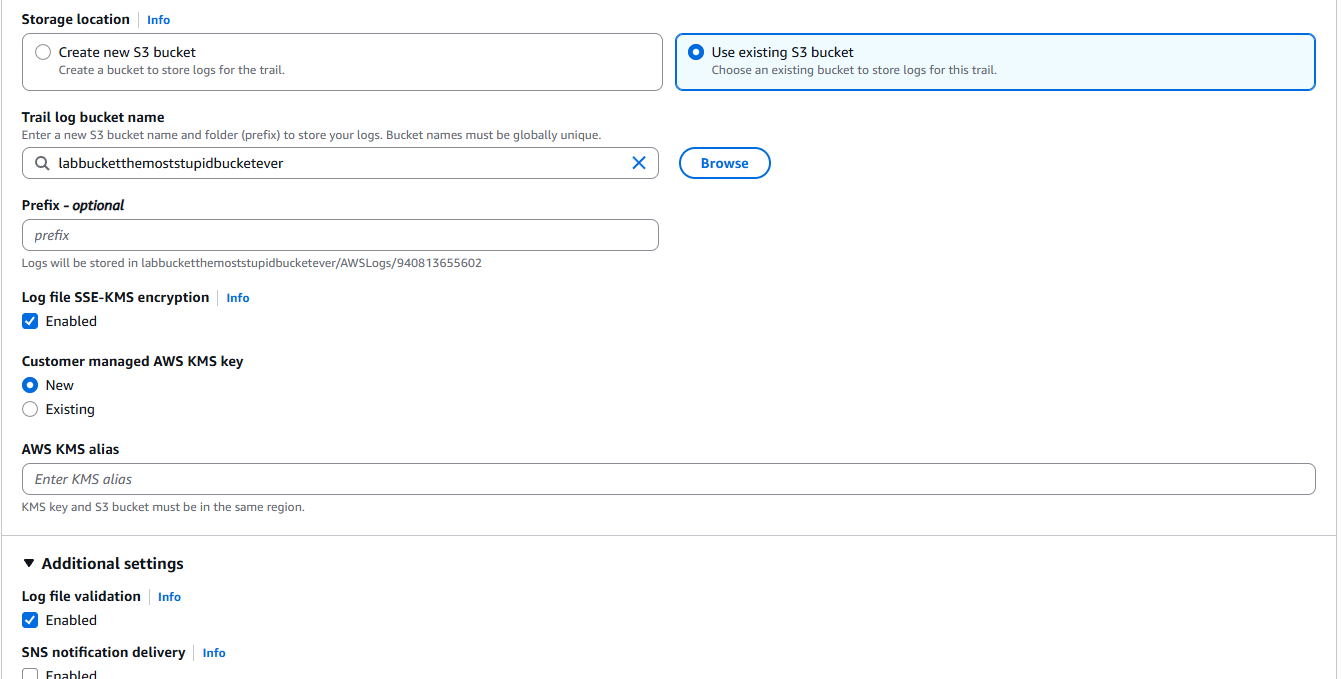
Multi-region trail: Enable “Apply trail to all regions” — a single trail covers every region, including regions you don’t actively use (where attackers might launch resources to hide).
Organization trail: If using AWS Organizations, create the trail from the management account with “Enable for all accounts in my organization” — one trail covers every account.
Log File Validation
When enabled, CloudTrail generates a digest file every hour containing a hash of each log file delivered. This lets you verify that log files haven’t been modified, deleted, or forged after delivery.
1
2
3
aws cloudtrail validate-logs \
  --trail-arn arn:aws:cloudtrail:ap-southeast-1:123456789:trail/org-audit-trail \
  --start-time 2026-05-20T00:00:00Z
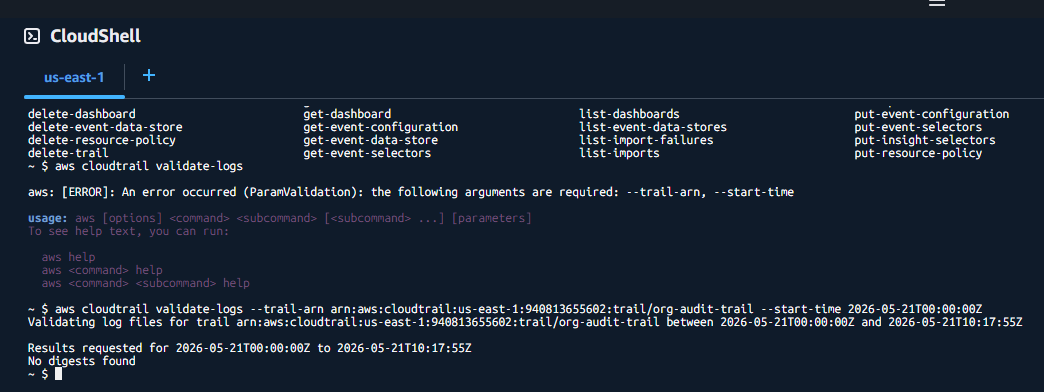
For the sake of the lab this trail was created while writing the walkthrough so no logs or digest have been made yet, the logs will be thrown to the S3 bucket once there is some movement in the account
Querying CloudTrail with Athena
For large-scale investigation, query CloudTrail logs directly in S3 using Athena.
- CloudTrail → Event history → Create Athena table (auto-creates the table pointing at your S3 bucket)
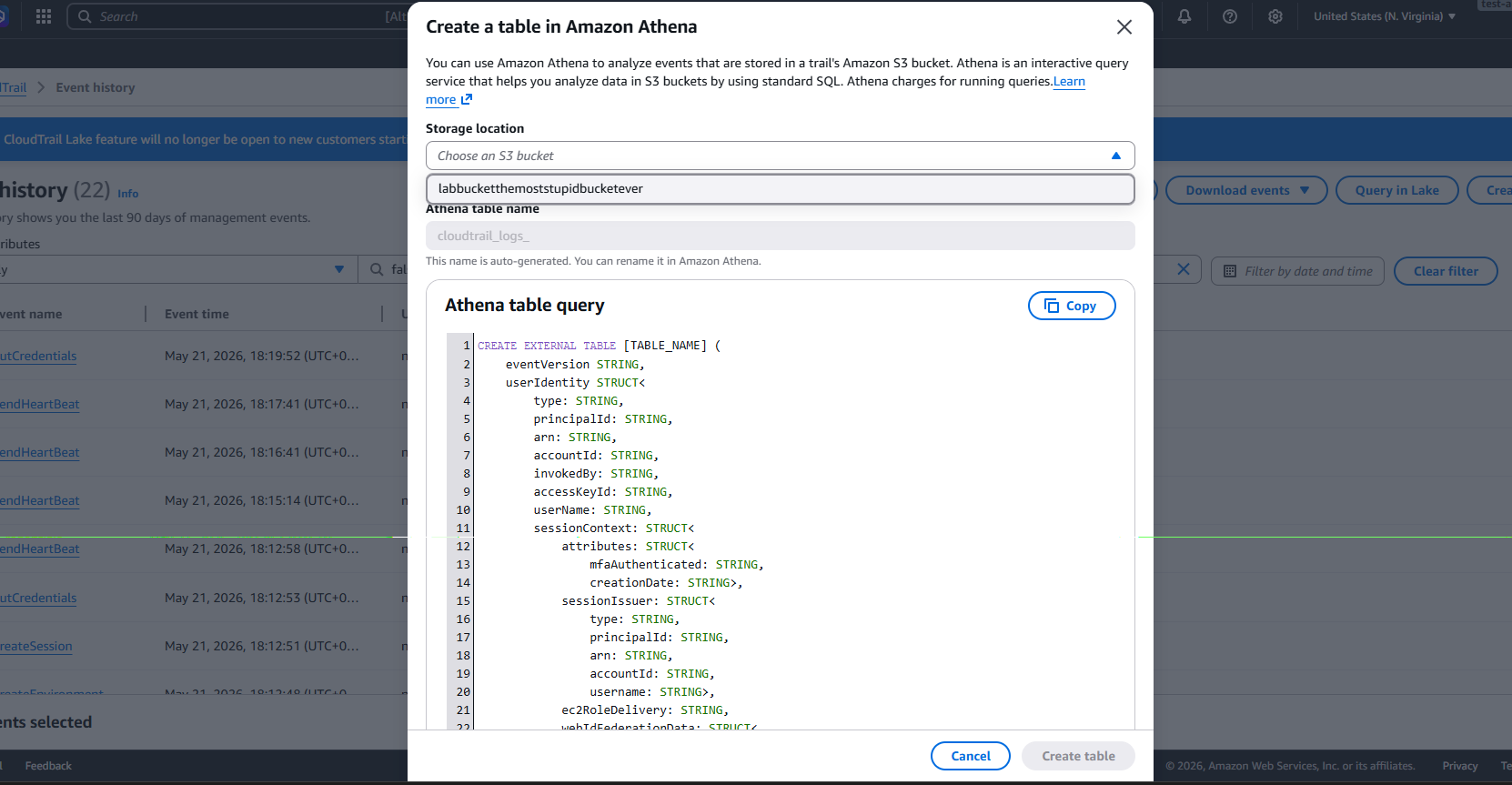
- Open Athena → run queries:
1
2
3
4
5
6
-- Find all DeleteBucket calls in the last 7 days
SELECT eventtime, useridentity.arn, requestparameters
FROM cloudtrail_logs
WHERE eventname = 'DeleteBucket'
  AND eventtime > '2026-05-13'
ORDER BY eventtime DESC;
1
2
3
4
5
6
-- Find console logins from unusual IPs
SELECT eventtime, useridentity.username, sourceipaddress
FROM cloudtrail_logs
WHERE eventname = 'ConsoleLogin'
  AND sourceipaddress NOT LIKE '10.%'
ORDER BY eventtime DESC;
AWS Config
What Config Does
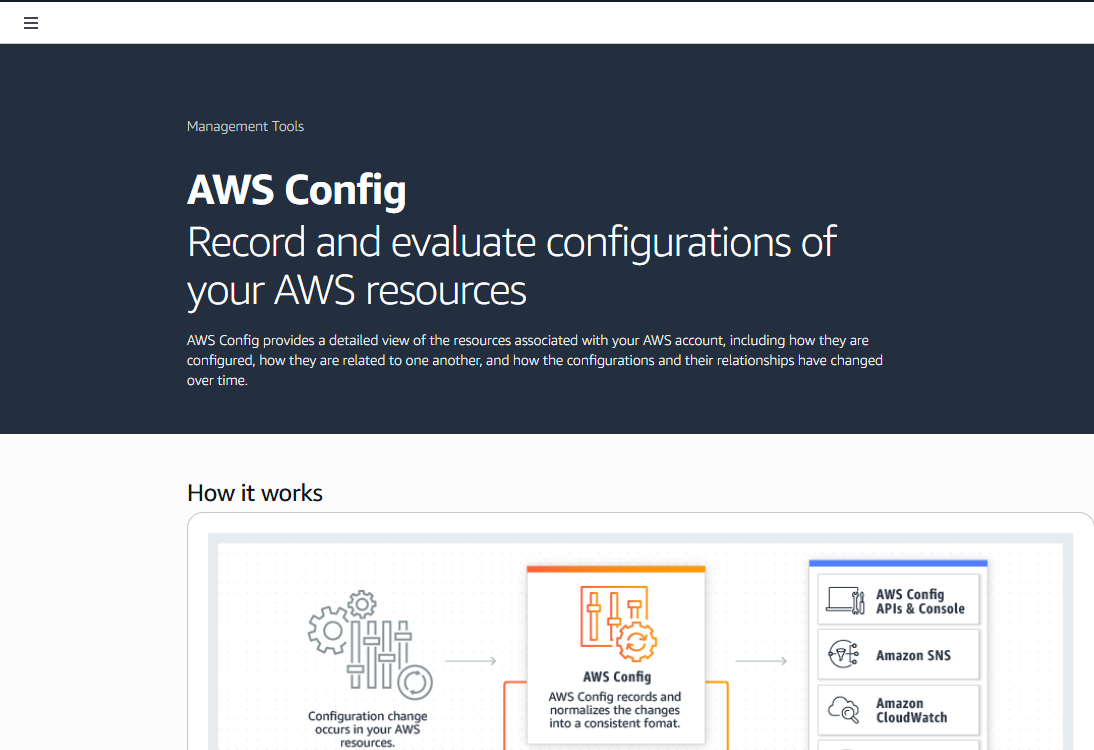
AWS Config continuously records the configuration of every supported resource in your account. When something changes, Config records the before and after state, who changed it, and when.
Config answers:
- What did this security group look like 3 days ago?
- When was this S3 bucket made public?
- Which EC2 instances don’t have encryption enabled?
- Is my infrastructure compliant with CIS benchmarks?
Setting Up Config
- AWS Config → Get started
- Select: Record all resources supported in this region
- S3 bucket: create one for Config snapshots
- SNS topic: optional, for notifications on changes
- IAM role: let Config create one automatically
AWS Config setup wizard showing resource recording settings and S3 bucket configuration
Config Rules
Rules evaluate your resources against a desired configuration. AWS provides 200+ managed rules. You can also write custom rules using Lambda.
Enabling managed rules:
- Config → Rules → Add rule
- Search for the rule → select → configure scope → Save
Key rules to enable immediately:
| Rule | What it checks |
|---|---|
s3-bucket-public-read-prohibited | No S3 buckets publicly readable |
s3-bucket-public-write-prohibited | No S3 buckets publicly writable |
ec2-instance-no-public-ip | EC2 instances shouldn’t have public IPs |
restricted-ssh | Security groups shouldn’t allow SSH from 0.0.0.0/0 |
restricted-common-ports | No unrestricted access on ports 22, 3389, etc. |
root-account-mfa-enabled | Root account must have MFA |
iam-user-mfa-enabled | All IAM users must have MFA |
cloudtrail-enabled | CloudTrail must be active |
encrypted-volumes | EBS volumes must be encrypted |
rds-storage-encrypted | RDS instances must be encrypted |
Config → Rules list showing multiple rules with their compliance status (green Compliant / red Non-compliant)
Viewing Resource History
Config’s timeline feature shows you every configuration change a resource went through.
- Config → Resources → find your resource (e.g. a security group)
- Click the resource → Configuration timeline
Config → a security group’s configuration timeline showing 3 changes over the past week with diffs between each state
You can see exactly what changed, when, and (combined with CloudTrail) who made the change.
Conformance Packs
A conformance pack is a collection of Config rules packaged together for a compliance standard.
AWS provides pre-built packs for:
- CIS AWS Foundations Benchmark
- PCI DSS
- NIST 800-53
- AWS Operational Best Practices
- Config → Conformance packs → Deploy conformance pack
- Select a sample template (e.g.
Operational-Best-Practices-for-CIS-AWS-v1.4-Level1) - Deploy
Config → Conformance packs showing the CIS benchmark pack deployed with an overall compliance percentage
Auto-Remediation
Config can automatically fix non-compliant resources using SSM Automation documents.
Example — auto-remove public access from S3:
- Config → Rules →
s3-bucket-public-read-prohibited→ Actions → Manage remediation - Remediation action:
AWS-DisableS3BucketPublicReadWrite - Auto remediation: enabled
- Save
Config rule → remediation configuration showing the SSM automation document selected and auto-remediation toggled on
Now whenever a bucket is made public, Config detects it and automatically reverts it.
Lab — Config Rule for Public S3 Buckets
Objective: Create a Config rule that flags publicly accessible S3 buckets and review findings.
- AWS Config → Rules → Add rule → search
s3-bucket-public-read-prohibited→ Next - Scope: all resources → Save
- Wait for the first evaluation (can take a few minutes)
- Rules → click the rule → see which buckets are Non-compliant
Config rule detail page showing non-compliant S3 buckets listed with their ARNs and last evaluation time
- Click a non-compliant bucket → view the configuration detail showing
PublicAccessBlockConfigurationis not fully enabled - Fix: go to the S3 bucket → Permissions → Block public access → enable all four options
- Return to Config → re-evaluate the rule → bucket should now show Compliant
Config rule after re-evaluation showing the previously non-compliant bucket now marked as Compliant
CloudTrail vs Config — When to Use Each
| Question | Use |
|---|---|
| Who deleted this resource? | CloudTrail |
| When was this resource changed? | Config |
| What did this resource look like before the change? | Config |
| Which API was called from this IP? | CloudTrail |
| Which resources are non-compliant? | Config |
| Did someone disable MFA on a user? | CloudTrail |
| Is encryption enabled on all EBS volumes? | Config |
They complement each other. Config tells you what changed; CloudTrail tells you who did it and how.
Key Takeaways
- Enable CloudTrail with multi-region, log validation, and S3 encryption on day one — it’s the foundation of forensics
- Without a trail, you only have 90 days of history in the console
- Config rules give you continuous compliance visibility — not just a point-in-time check
- Auto-remediation closes the gap between detection and response automatically
- Use Athena to query CloudTrail logs at scale during incidents
References
You can find me online at:
