Week 1 — Day 2: SCPs & Permission Boundaries
A full walkthrough of AWS Organizations, Service Control Policies, and IAM Permission Boundaries — org-level guardrails that override everything below them.
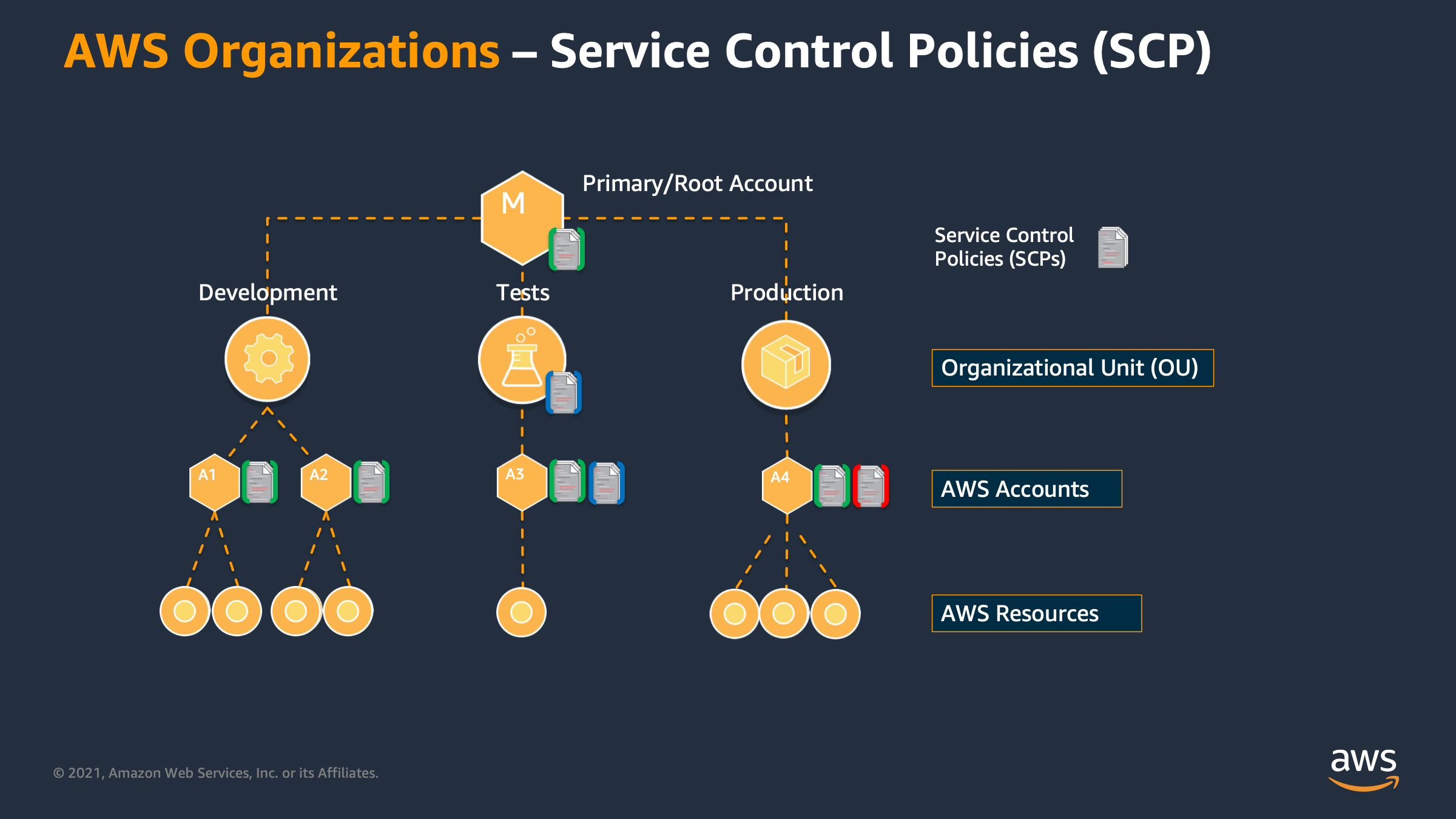
Why SCPs Exist
IAM policies control what an identity can do. But what if you need to enforce limits across an entire AWS account — limits that even account administrators cannot override?
That’s what Service Control Policies (SCPs) solve. They’re org-level guardrails that set the maximum permissions any identity in an account can ever have, regardless of what IAM says.
AWS Organizations
Before SCPs, you need to understand AWS Organizations.
AWS Organizations lets you group multiple AWS accounts under a single management (root) account. Accounts are organized into Organizational Units (OUs).
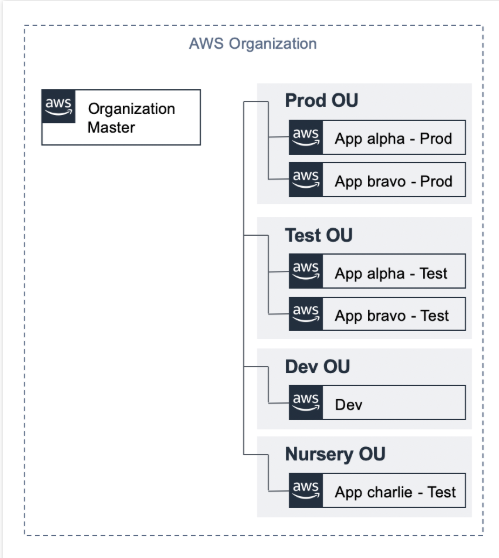
Typical structure:
1
2
3
4
5
Root
├── OU: Security        → Security tooling accounts
├── OU: Production      → Live workload accounts
├── OU: Development     → Dev/test accounts
└── OU: Sandbox         → Unrestricted experimentation
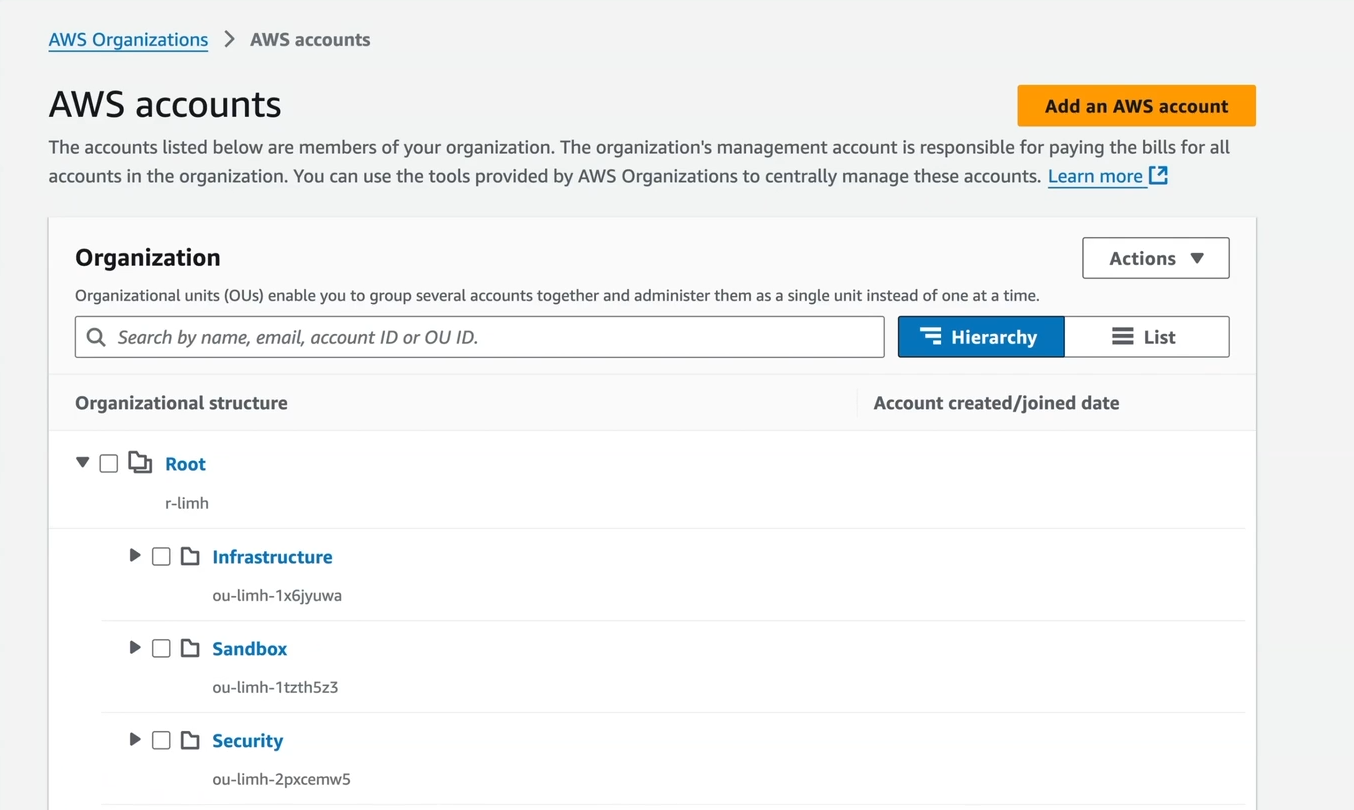
SCPs are attached to the Root, OUs, or individual accounts. They flow down — an SCP on the Root applies to every account in the org.
What SCPs Do (and Don’t Do)
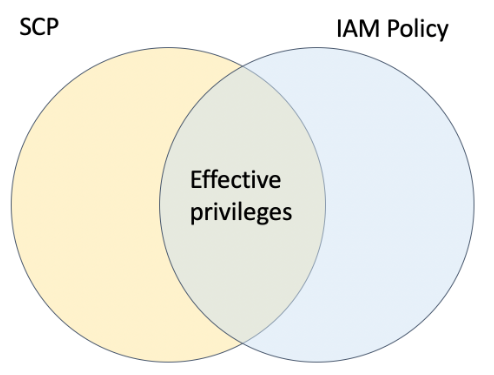
SCPs define the maximum permissions boundary. They do not grant permissions — IAM still does that. Instead, SCPs filter what IAM can allow.
Mental model:
1
Effective permissions = IAM policy permissions ∩ SCP permissions
If IAM allows s3:DeleteBucket but the SCP denies it → denied.
If the SCP allows s3:DeleteBucket but IAM doesn’t → denied.
Both must allow for the action to succeed.
What SCPs do NOT apply to:
- The management (root) account — it is never restricted by SCPs
- AWS service-linked roles
- Actions performed by AWS on your behalf
SCP Strategies
Deny List (default)
AWS attaches a default FullAWSAccess SCP to all accounts, which allows everything. You then add deny statements to block specific actions.
Pros: Easier to start, less likely to accidentally block something
Cons: New services are allowed by default
Allow List
Remove FullAWSAccess and explicitly allow only what each OU needs.
Pros: Tighter security posture
Cons: More maintenance, can block things unintentionally
Best practice for most orgs: Deny list at the org level for critical controls (like protecting CloudTrail), allow list inside specific OUs for tighter environments.
Writing SCPs
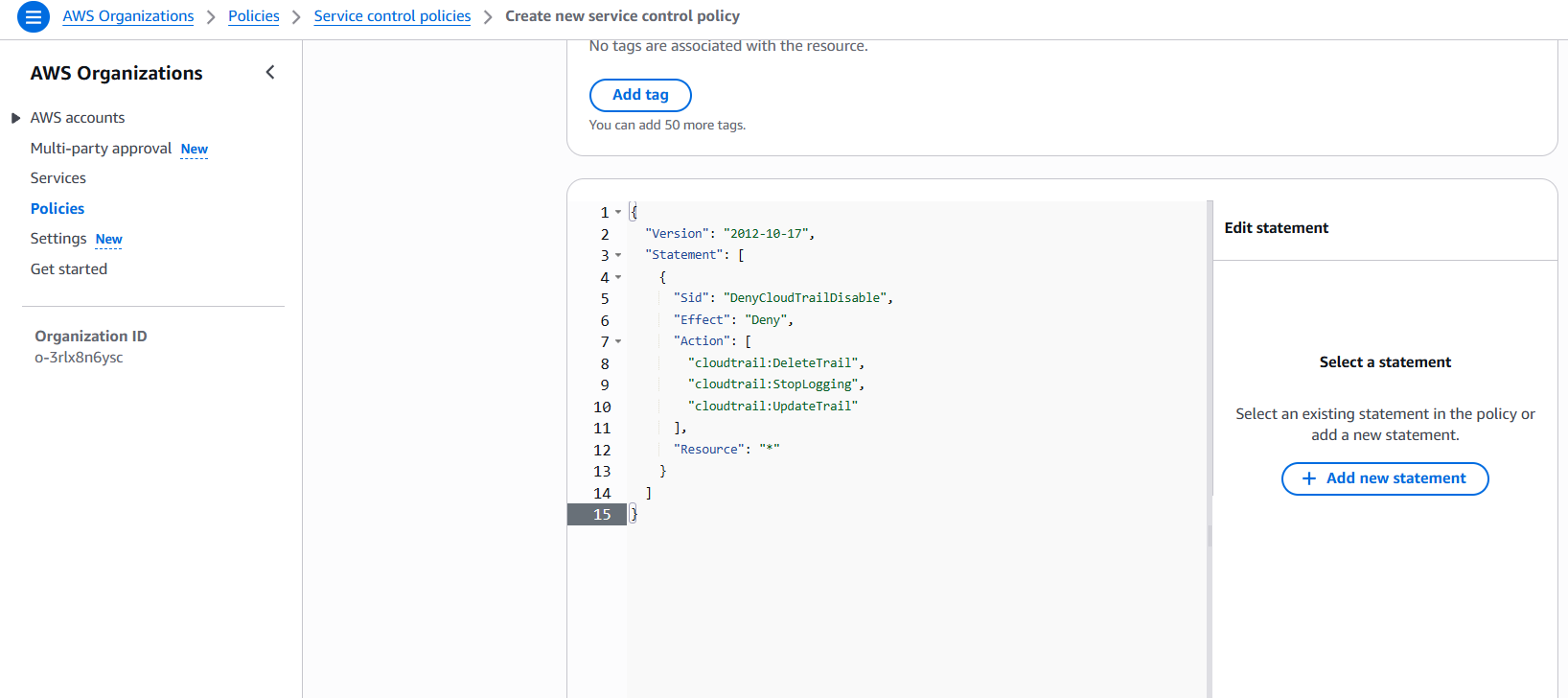
Deny disabling CloudTrail
1
2
3
4
5
6
7
8
9
10
11
12
13
14
15
{
  "Version": "2012-10-17",
  "Statement": [
    {
      "Sid": "DenyCloudTrailDisable",
      "Effect": "Deny",
      "Action": [
        "cloudtrail:DeleteTrail",
        "cloudtrail:StopLogging",
        "cloudtrail:UpdateTrail"
      ],
      "Resource": "*"
    }
  ]
}
This prevents anyone — including account admins — from disabling audit logging.
Deny leaving the organization
1
2
3
4
5
6
{
  "Sid": "DenyLeaveOrg",
  "Effect": "Deny",
  "Action": "organizations:LeaveOrganization",
  "Resource": "*"
}
Restrict to approved regions only
1
2
3
4
5
6
7
8
9
10
11
12
13
14
{
  "Sid": "DenyNonApprovedRegions",
  "Effect": "Deny",
  "Action": "*",
  "Resource": "*",
  "Condition": {
    "StringNotEquals": {
      "aws:RequestedRegion": [
        "ap-southeast-1",
        "us-east-1"
      ]
    }
  }
}
Require MFA for sensitive actions
1
2
3
4
5
6
7
8
9
10
11
12
13
14
15
{
  "Sid": "DenyWithoutMFA",
  "Effect": "Deny",
  "Action": [
    "iam:DeleteUser",
    "iam:DeleteRole",
    "ec2:TerminateInstances"
  ],
  "Resource": "*",
  "Condition": {
    "BoolIfExists": {
      "aws:MultiFactorAuthPresent": "false"
    }
  }
}
Attaching SCPs
- AWS Organizations → Policies → Service Control Policies
- Create policy → paste JSON → name it clearly (ex
deny-cloudtrail-disable) - Go to the target: Root, OU, or account
- Policies tab → Attach → select your SCP
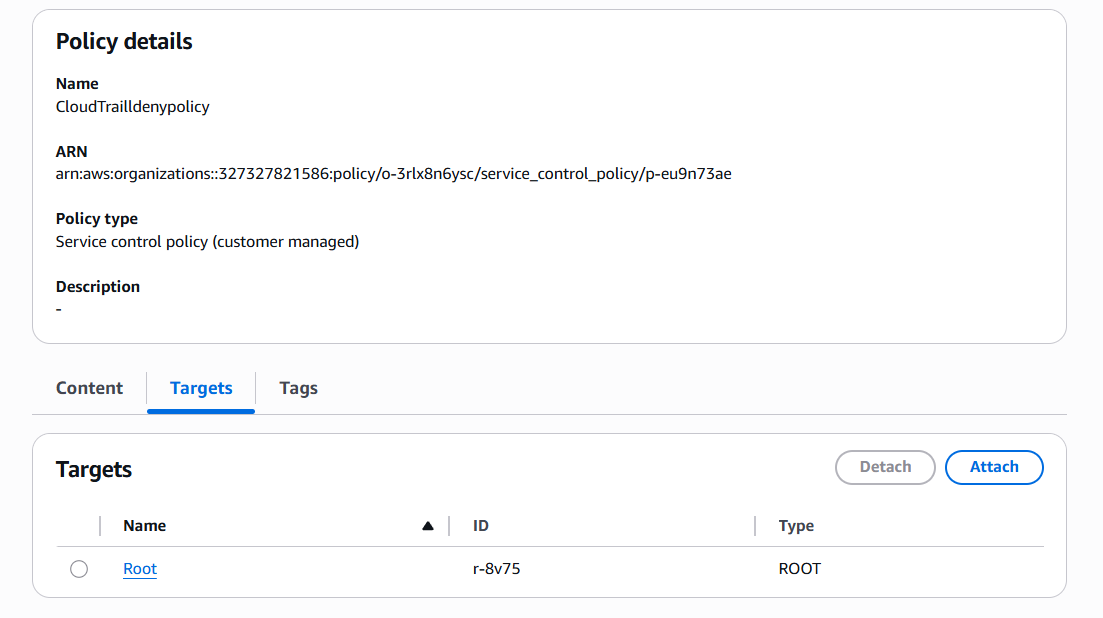
Testing: After attaching, try to perform the denied action from an account in that OU — you should get AccessDenied even as an administrator.
Permission Boundaries
SCPs work at the account level. Permission Boundaries work at the identity level — they limit what a specific user or role can do, even if IAM grants more.
Use case: You want to allow developers to create IAM roles for their Lambda functions, but prevent them from creating roles with more permissions than they themselves have (privilege escalation prevention).
How it works:
1
Effective permissions = IAM policy ∩ Permission Boundary
Example — Boundary for developer-created roles
1
2
3
4
5
6
7
8
9
10
11
12
13
14
15
{
  "Version": "2012-10-17",
  "Statement": [
    {
      "Effect": "Allow",
      "Action": [
        "s3:*",
        "dynamodb:*",
        "logs:*",
        "lambda:*"
      ],
      "Resource": "*"
    }
  ]
}
Attach this boundary when a developer creates a role. Even if the developer tries to grant iam:* to the role, the boundary silently prevents it — the role can never exceed s3, dynamodb, logs, lambda.
Attaching a boundary to a role
1
2
3
4
5
6
7
8
9
10
{
  "Effect": "Allow",
  "Action": "iam:CreateRole",
  "Resource": "*",
  "Condition": {
    "StringEquals": {
      "iam:PermissionsBoundary": "arn:aws:iam::123456789:policy/DeveloperBoundary"
    }
  }
}
This forces developers to always attach the boundary when creating roles — otherwise CreateRole is denied.
SCP vs Permission Boundary vs IAM Policy
| SCP | Permission Boundary | IAM Policy | |
|---|---|---|---|
| Scope | Account / OU | Single user or role | Single user, role, or group |
| Grants permissions | No | No | Yes |
| Restricts permissions | Yes | Yes | Yes (via Deny) |
| Applied by | Org admin | IAM admin | IAM admin |
| Overridable by account admin | No | No | Yes |
Lab — Write and Attach an SCP
Objective: Attach an SCP to the dev OU that denies disabling CloudTrail and leaving the org.
- AWS Organizations → Policies → Service Control Policies → Create policy
- Paste the combined SCP:
1
2
3
4
5
6
7
8
9
10
11
12
13
14
15
16
17
18
19
20
21
{
  "Version": "2012-10-17",
  "Statement": [
    {
      "Sid": "DenyCloudTrailDisable",
      "Effect": "Deny",
      "Action": [
        "cloudtrail:DeleteTrail",
        "cloudtrail:StopLogging",
        "cloudtrail:UpdateTrail"
      ],
      "Resource": "*"
    },
    {
      "Sid": "DenyLeaveOrg",
      "Effect": "Deny",
      "Action": "organizations:LeaveOrganization",
      "Resource": "*"
    }
  ]
}
- Name:
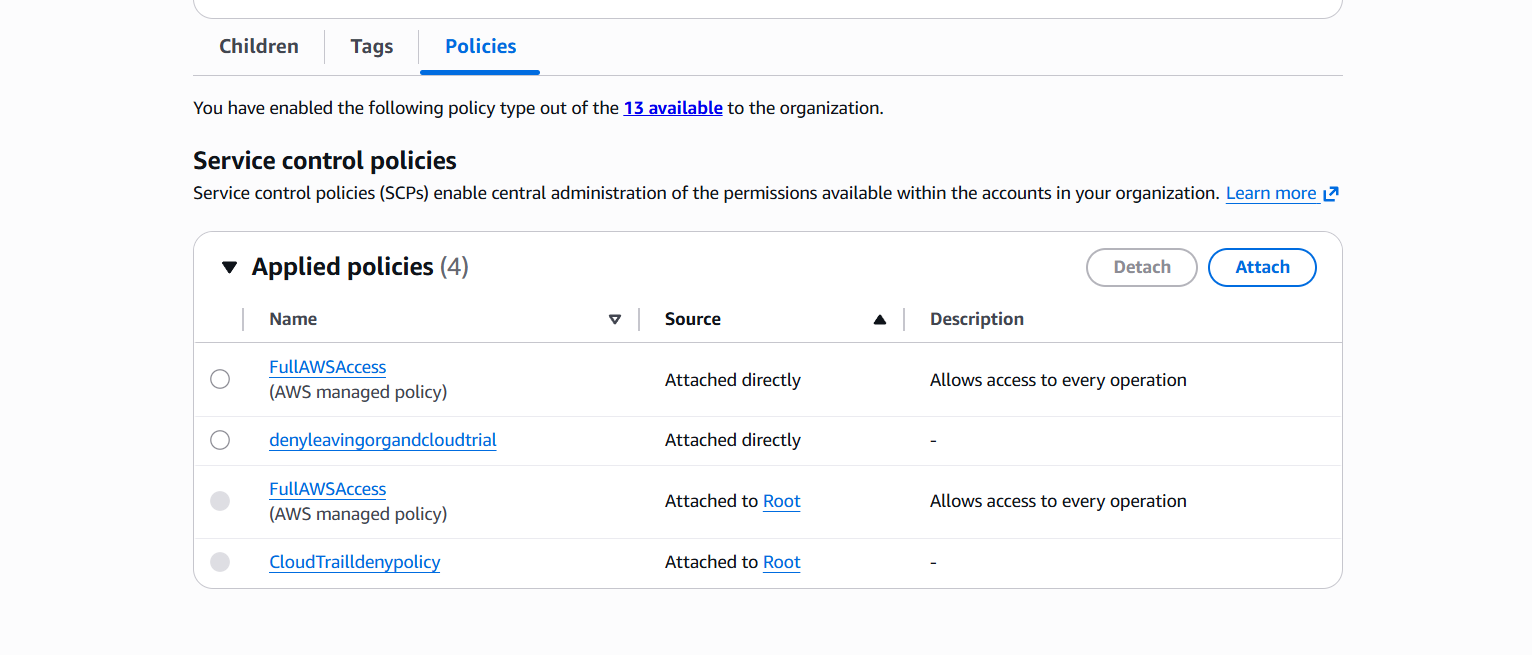
baseline-security-controls→ Create - Navigate to your dev OU → Policies → Attach → select the policy
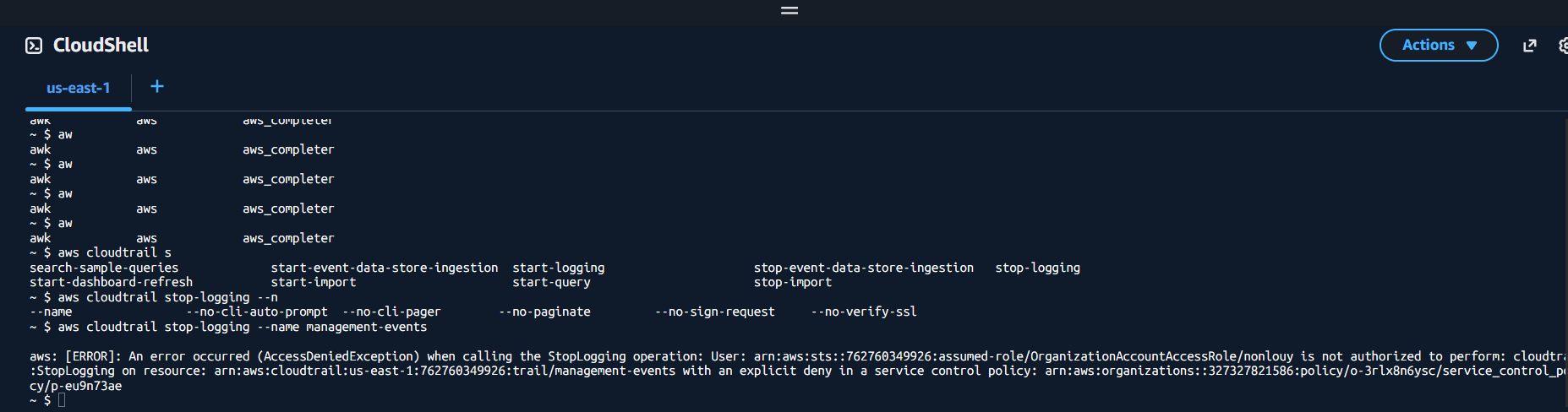
- From a dev account, attempt
aws cloudtrail stop-logging --name <trail-name>— should returnAccessDenied
| 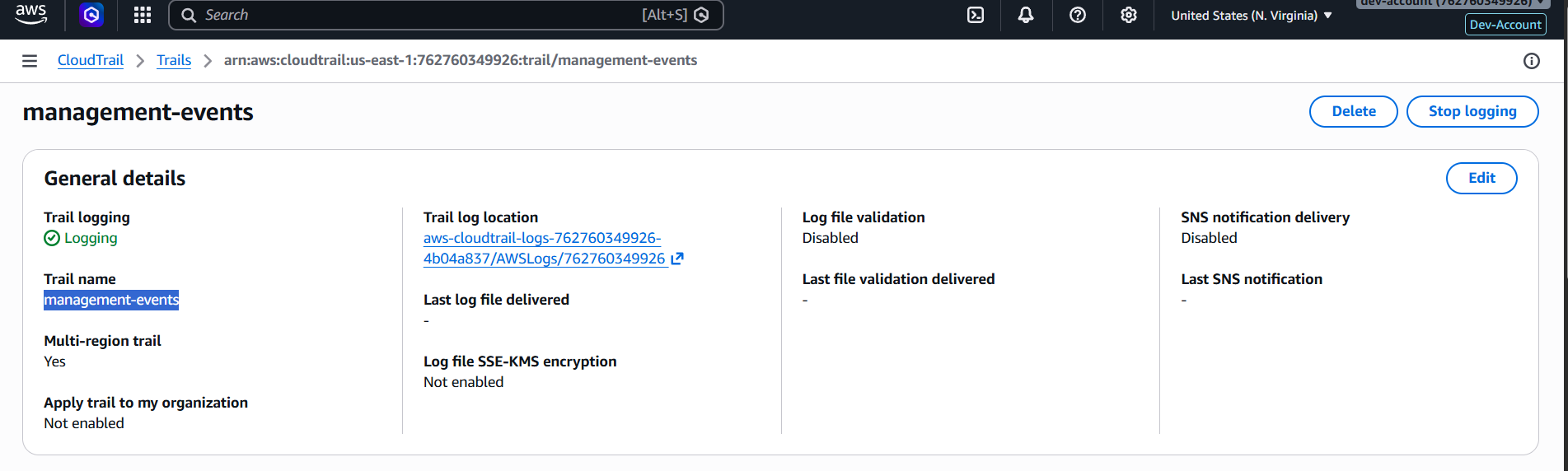 |
access denied
Key Takeaways
- SCPs are the ceiling — even account root users can’t exceed them (except the management account)
- SCPs don’t grant permissions — IAM still does that
- Use deny-list strategy: start with
FullAWSAccess, add targeted denies for critical controls - Always protect: CloudTrail, Config, GuardDuty, and the ability to leave the org
- Permission boundaries prevent privilege escalation when delegating IAM management
References
You can find me online at:
